

Bridging the Gap: A Conversation on the Evolution of TeleAudiology
AudiologyOnline: Dr. Layfield, thank you for joining us. In your recent webinar, you discussed a significant shift in the typical hearing aid consumer. Why is it more important than ever for hearing healthcare professionals to embrace digital technology like TeleHear?
Dr. Keeley Layfield: It’s a pleasure to be here. We are seeing a major trend where patients are prioritizing experience, convenience, and flexibility. Our typical consumer is no longer "tech-averse." In fact, 87% of people aged 60 to 64 use a smartphone, and 70% of that same demographic are actively seeking healthcare information and options online. If a clinic doesn't have a strong digital presence, or if they aren't offering virtual care options, they are essentially missing a huge portion of the market that values staying connected and managing their health from their own homes.
AudiologyOnline: Many providers worry that implementing teleaudiology will be time-consuming or technically difficult. What advice do you have for a clinic that is hesitant to start?
Dr. Layfield: My biggest piece of advice is to start small. Think about blocking off just one hour a week for virtual appointments. As you and your staff build comfort with the interface, you can add on from there. Another strategy is to include a set number of virtual visits in your bundled care packages. This frames the technology as an added value rather than an extra burden. The setup process for Starkey’s TeleHear actually takes less than five minutes! Once the practice is registered and the patient is invited, the connection is established for the life of that device.
AudiologyOnline: Starkey offers three distinct types of remote programming. Could you walk us through the "Synchronous" option and when it’s most effective?
Dr. Layfield: Synchronous is our live, real-time communication. It feels very much like a FaceTime call where you and the patient can see and hear each other. It’s incredibly effective for fine-tuning because you are making live adjustments that synchronize instantly with the hearing aids. One of the best use cases is when a patient is in a difficult listening environment. If they struggle at a specific coffee shop, they can go there, join the session, and you can program for that exact acoustic environment in real-time. It is also great for troubleshooting physical fit issues, like checking if an earmold is inserted correctly.

Figure 1. Example of synchronous remote programming session.
AudiologyOnline: On the other hand, Starkey also has "Asynchronous" programming. How does that workflow differ for both the provider and the patient?
Dr. Layfield: Asynchronous is like an IT ticketing system. The patient submits a "Help Request" through the My Starkey app whenever they experience an issue. They answer a few digital chat questions, like which ear is affected or what the specific sound quality issue is and then send it off. The professional gets an email notification and can make the adjustments whenever it fits into their schedule. The professional sends the new settings back, and the patient gets to "compare and contrast" the old vs. new settings before deciding to keep them. It’s perfect for busy clinics because it does not require a dedicated appointment slot.
AudiologyOnline: One of the most exciting updates you mentioned is "TeleHear AI." How does this change the dynamic of patient care?
Dr. Layfield: TeleHear AI is a game-changer because it provides 24/7 support using generative AI. Exclusive to our Omega AI 24 level users, this feature allows patients to describe an issue to a virtual assistant in the app. The AI interprets the complaint. Let’s use the example, "female voices aren't clear," Telehear AI will generate a suggested adjustment for the patient to test immediately. It’s a way for the patient to solve simple concerns independently and in the moment. If the AI can't resolve it after three attempts, it automatically transitions the case into an asynchronous help request for the professional to review. It empowers the patient while reducing the number of "minor" adjustment appointments on the provider's books.
AudiologyOnline: What happens if a patient tries an AI adjustment but decides they liked your original office settings better?
Dr. Layfield: We have multiple built in safeguards to ensure the professional always has ultimate control. In the My Starkey app, a patient can always select "Restore Original Settings" to wipe out any AI changes and go back to the professional's last fit. Furthermore, when that patient eventually comes back into the office and you connect them to Pro Fit, the software will detect that the hearing aid settings are "newer" than the database. You then have the choice: you can save those remote changes permanently, or you can reject them and revert to your original profile.

Figure 2. Restoring Provider Settings
AudiologyOnline: Can you talk about the specific hardware and software requirements needed to get started?
Dr. Layfield: On the professional side, you need a patient database (like Noah or PatientBase), an internet connection, and the Pro Fit software. If you are doing Synchronous live sessions, you will also need a webcam and microphone. For the patient, they need Starkey 2.4 GHz wireless hearing aids (like Omega AI) and the My Starkey app. The setup is quite elegant, you send a code from your software to the patient's phone via SMS, they enter it into their app, and the cloud connection is complete.
AudiologyOnline: In terms of clinic efficiency, how does TeleHear impact the length and nature of appointments?
Dr. Layfield: Anecdotally, virtual appointments tend to be more "to the point." In-office visits often turn into social calls, which is lovely for building rapport, but when you’re busy, a virtual visit allows you to address the technical need quickly and efficiently. We also see better appointment compliance from patients because the barrier to "showing up" is so much lower. They don't have to worry about traffic, parking, or weather; they need to be in a spot with stable Wi-Fi or cellular data.
AudiologyOnline: If a professional wants to start training their staff today, where should they look for resources?
Dr. Layfield: We have a very comprehensive TeleHear Handbook available on the TeleHearPortal.com Help section. It’s a step-by-step guide for everything we discussed. For patients, we offer "Quick Tips" which are one- or two-page synopses with images that you can print out or email to them. These are great for reinforcing how to use the app and what to expect during a session.
AudiologyOnline: Dr. Layfield, thank you for sharing these insights on how technology can truly bridge the gap in hearing healthcare.
Dr. Layfield: Thank you for having me. I really hope professionals feel encouraged to explore these tools, they really do make life easier for both the clinician and the patient.
AudiologyOnline: To learn more about Bridging the Gap with TeleHear, please check out this CEU content from Starkey.


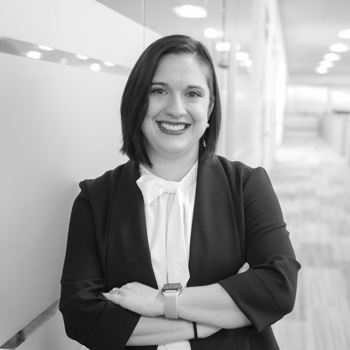
Keeley Layfield, AuD
Keeley Layfield , Au.D., joined the education and training division of Starkey in early 2022. She received her Au.D. from Louisiana Tech University and has practiced audiology in a variety of ear, nose, and throat offices before joining Starkey in 2019 as part of the sales team. Layfield’s current responsibilities include assisting in the development of educational materials, leading training classes, and assisting with course offerings through AudiologyOnline.